


Metallurgical Image Analysis System
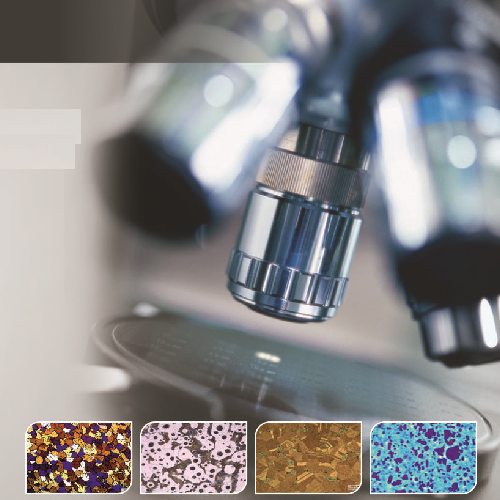
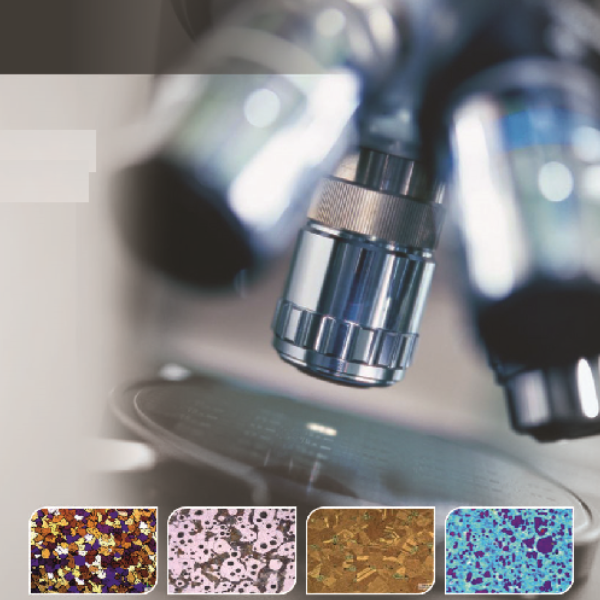
QS Metrology offers Metallurgical Image Analysis System (MIAS®), which is an advanced system for Metallographic study of metals.
Key Features of Metallurgical Image Analysis System

High‑Resolution Digital Imaging
Automated Grain Size & Phase Analysis
Multi‑Mode Imaging (Brightfield, Darkfield, Polarized)
Advanced Measurement & Annotation Tools
Standards‑Compliant Reporting (ASTM, ISO, JIS)
Metallurgical Image Analysis System
QS Metrology offers Metallurgical Image Analysis System (MIAS®), which is an advanced system for Metallographic study of metals. This system is based on the technology transfer from BARC (Bhabha Atomic Research Centre), and conforms to ASTM Standards. MIAS is our registered trademark.
- Grain Analysis
- Phase Analysis
- Inclusion Analysis
- Nodule Analysis
- Flake Analysis
- Dendritic Arm Spacing
- Porosity Analysis
- Coating Thickness measurement
- Decarburization
- Basic 2D measurements
- Trinocular Metallurgical microscope
- MP CMOS USB Camera
- MIAS® Software
| Category | Specifications |
| Image functions | · Image rotation · Gray scale · Image flipping (horizontal or vertical) · Histograms · Invert · Brightness correction |
| Filters | Image Analysis filters like: · Laplacian · Sobel · Blur · Noise reduction · Edge detection and enhancement filters · Substraction · Morphology filters · Thresholding |
| Images | · Image database · Image database filtering by date and type (grains, phases, nodularity, inclusion etc) · Image view or Live view · Switch between image view and live view · Supports multiple image formats like JPEG, BMP, PNG etc |
| Grain size analysis | · User defined program · User defined image enhancement & grain detection functions · User can save program as configuration for future use · Automatically creates Grain Boundary structure · Planimetric method · Hayn Linear Intercept method · Hillard/Abrams Circle Intercept method · Manual grain analysis · Custom grain analysis functions · Supports grain editing/correction · ALA grain size (ASTM E930) analysis · Supports multiple samples |
| Particle size analysis | · User defined configurations with filter conditions · Image enhancement functions for particle detection · Analyze and detects particles based on defined configuration/filter · Analyze particles for length, area, circularity/elongation/roundness, Ferret length/major axis, minor axis · Can detect area, length, width, circularity/roundness/shape factor, ferret length, perimeter of various particles of different shapes like fibre, impurities on filter etc · Can group particles identified into different buckets (user defined) by length, area, roundness, width, circularity etc · Supports multiple samples |
| Coating thickness measurement | · User defined configurations with filter conditions · Image enhancement functions · Automatically identifies coating boundary · Gives MIN/ MAX/ AVG/ STD DEV of results · Can measure thickness at user selected points, all points or at user selected intervals · Supports multiple samples |
| Porosity analysis | · User defined image enhancement and filter functions · User can save program as configuration · User can switch to LIVE video to further analyze a feature through focus adjustment · User can group selected features into different buckets based on size and shape · Supports multiple samples |
| Nodularity | · User defined configurations with filter conditions · Nodularity by count, Nodularity by area and Nodule density · Group results by Nodule size 1 to 8 · Can export results for Phase analysis · Automatically detects Nodules based on set filter conditions · Supports multiple samples |
| Inclusion | · User defined configurations with filter conditions · Detects Inclusions and group by type (A, B, C, D) and further by THIN/THICK · Detection of Oversized Inclusions · Supports multiple samples |
| Phase analysis | · User defined configurations with filter conditions · Can import results from Nodule/Flake analysis for Graphite/Phase report · Can detect and isolate Nodules in the image automatically or manually · Supports Phase splitting · Supports Manual point count method · User can save configurations for future use · Supports multiple samples |
| Flake analysis | · User defined configurations with filter conditions · Detects and group Flakes by type A, B, C, D and E · Detects and group Flakes by size (1 to 8) · User can manually set Flake types/correction · Can export results for Phase analysis · Supports multiple samples |
| Dendrite Arm Spacing (for Al) | · User defined configurations with filter conditions · Image enhancement functions · For analysis on Aluminum · Supports multiple samples |
| Decarburization analysis | · User defined configurations with filter conditions · Image enhancement functions · Decarburization on Steel · Supports multiple samples |
| 2D measurements | · Supports all 2D measurements like length, width, distance between points, angle, area, perimeter · Supports tools for boundary detection like Line, Circle, Arc, Angle, Curve, Closed curve |
| Reports | · Reports in PDF and Excel format |
- Grain Analysis
- Phase Analysis
- Inclusion Analysis
- Nodule Analysis
- Flake Analysis
- Dendritic Arm Spacing
- Porosity Analysis
- Coating Thickness measurement
- Decarburization
- Basic 2D measurements
- Trinocular Metallurgical microscope
- MP CMOS USB Camera
- MIAS® Software
| Category | Specifications |
| Image functions | · Image rotation · Gray scale · Image flipping (horizontal or vertical) · Histograms · Invert · Brightness correction |
| Filters | Image Analysis filters like: · Laplacian · Sobel · Blur · Noise reduction · Edge detection and enhancement filters · Substraction · Morphology filters · Thresholding |
| Images | · Image database · Image database filtering by date and type (grains, phases, nodularity, inclusion etc) · Image view or Live view · Switch between image view and live view · Supports multiple image formats like JPEG, BMP, PNG etc |
| Grain size analysis | · User defined program · User defined image enhancement & grain detection functions · User can save program as configuration for future use · Automatically creates Grain Boundary structure · Planimetric method · Hayn Linear Intercept method · Hillard/Abrams Circle Intercept method · Manual grain analysis · Custom grain analysis functions · Supports grain editing/correction · ALA grain size (ASTM E930) analysis · Supports multiple samples |
| Particle size analysis | · User defined configurations with filter conditions · Image enhancement functions for particle detection · Analyze and detects particles based on defined configuration/filter · Analyze particles for length, area, circularity/elongation/roundness, Ferret length/major axis, minor axis · Can detect area, length, width, circularity/roundness/shape factor, ferret length, perimeter of various particles of different shapes like fibre, impurities on filter etc · Can group particles identified into different buckets (user defined) by length, area, roundness, width, circularity etc · Supports multiple samples |
| Coating thickness measurement | · User defined configurations with filter conditions · Image enhancement functions · Automatically identifies coating boundary · Gives MIN/ MAX/ AVG/ STD DEV of results · Can measure thickness at user selected points, all points or at user selected intervals · Supports multiple samples |
| Porosity analysis | · User defined image enhancement and filter functions · User can save program as configuration · User can switch to LIVE video to further analyze a feature through focus adjustment · User can group selected features into different buckets based on size and shape · Supports multiple samples |
| Nodularity | · User defined configurations with filter conditions · Nodularity by count, Nodularity by area and Nodule density · Group results by Nodule size 1 to 8 · Can export results for Phase analysis · Automatically detects Nodules based on set filter conditions · Supports multiple samples |
| Inclusion | · User defined configurations with filter conditions · Detects Inclusions and group by type (A, B, C, D) and further by THIN/THICK · Detection of Oversized Inclusions · Supports multiple samples |
| Phase analysis | · User defined configurations with filter conditions · Can import results from Nodule/Flake analysis for Graphite/Phase report · Can detect and isolate Nodules in the image automatically or manually · Supports Phase splitting · Supports Manual point count method · User can save configurations for future use · Supports multiple samples |
| Flake analysis | · User defined configurations with filter conditions · Detects and group Flakes by type A, B, C, D and E · Detects and group Flakes by size (1 to 8) · User can manually set Flake types/correction · Can export results for Phase analysis · Supports multiple samples |
| Dendrite Arm Spacing (for Al) | · User defined configurations with filter conditions · Image enhancement functions · For analysis on Aluminum · Supports multiple samples |
| Decarburization analysis | · User defined configurations with filter conditions · Image enhancement functions · Decarburization on Steel · Supports multiple samples |
| 2D measurements | · Supports all 2D measurements like length, width, distance between points, angle, area, perimeter · Supports tools for boundary detection like Line, Circle, Arc, Angle, Curve, Closed curve |
| Reports | · Reports in PDF and Excel format |
How Metallurgical Image Analysis System Work?
A Metallurgical Image Analysis System works by capturing high-resolution digital images of a material’s microstructure using an optical or digital microscope. The sample, usually a polished and etched metal specimen, is placed under the microscope, and different imaging modes such as brightfield, darkfield, or polarized light highlight microstructural features like grains, phases, inclusions, and defects. The system’s software analyzes these images automatically or semi-automatically to calculate parameters such as grain size, phase fraction, porosity, and inclusion content. Measurements and annotations are processed according to international standards (ASTM, ISO, JIS), and detailed reports with images and statistical data can be generated for quality control, research, and material certification.
Locations We Serve
QS Metrology provides Metallurgical Image Analysis System across India, serving all major industrial regions, including:
Delhi NCR, Rajasthan, Punjab, Uttar Pradesh, Himachal Pradesh, Uttarakhand, Jammu & Kashmir
Why Choose QS Metrology?
High-Precision Measurement
Advanced Probe & Software Technology
Durable & Reliable Design
Wide Industry Applications
Expert Support & Service
FAQs
It is used to capture and analyze microstructural images of metals and materials, enabling measurement of grain size, phases, inclusions, porosity, and other microstructural features.
The system uses a high‑resolution microscope to image a polished and etched sample, and software analyzes the images to quantify microstructural parameters according to standards.
It can analyze metals, alloys, composites, ceramics, and other engineered materials that have been prepared with metallographic techniques.
Parameters include grain size, phase percentage, inclusion count, porosity, particle size distribution, and other microstructural metrics.
Yes — the software supports international standards such as ASTM, ISO, and JIS for microstructural measurement and reporting.
Common users include metallurgical labs, automotive, aerospace, research institutes, material testing labs, and manufacturing quality control.
Industries We Serve

Automotive

Medical Device & Pharmaceutical

Aerospace

Electronic & Electric Component

Chemicals & Petrochemicals

Metal Foundries & Casting

Energy, Power & Renewables
